Skip to content
Video editor · Windows, Mac and your browser

Elefair Studio

Edit product promos, wedding films and social videos — with 1,030 animated wedding titles, film looks, 4K export and an AI Copilot that builds the first cut for you.

  • 7-day free trial
  • Works on 2 computers
  • From $9.92 a month
Elefair Studio
Elefair Studio editor with a gold wedding title, the 1,030-design title library and the timeline
Two ways to edit

On your computer, or in your browser

The same editor and the same wedding titles. Pick the one that fits how you work — or get both with Studio Complete.

Studio Desktop

Installed on Windows or Mac. Full speed on your own computer, works offline, with the complete LUT pack, master-quality export and TV broadcast tools.

  • Yearly or pay once for life
  • Your own Google AI key for AI tools
  • Broadcast center, NDI and live output
Desktop plans

Studio Online

Opens in Chrome or Edge — nothing to install. Sign in from any computer and pick up where you left off. AI credits are included every month.

  • Monthly or yearly
  • 50 or 300 AI credits a month included
  • 7-day free trial with everything in Pro
Online plans
Wedding titles

1,030 animated wedding titles, ready to use.

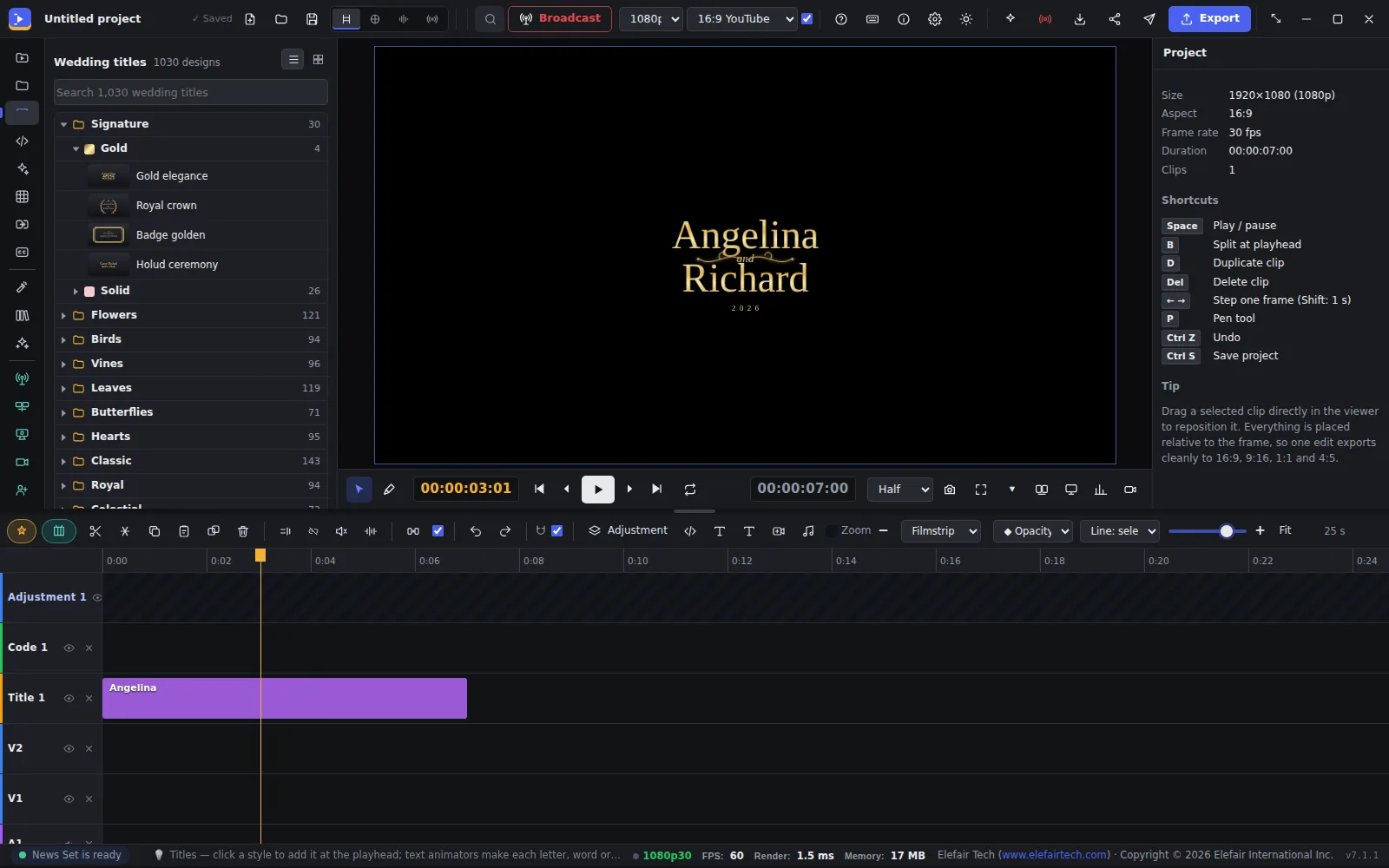
Signature gold designs, flowers, birds, vines, hearts, royal and classic styles. Click one, type the couple's names and it animates in — fonts, colour, spacing and 3D depth are all yours to change.

  • Search all 1,030 designs by name or style
  • Text animators by letter, word or line
  • Placed relative to the frame — export 16:9, 9:16, 1:1 or 4:5
A Signature gold wedding title in the Elefair Studio viewer
Colour

Film looks and a full LUT pack.

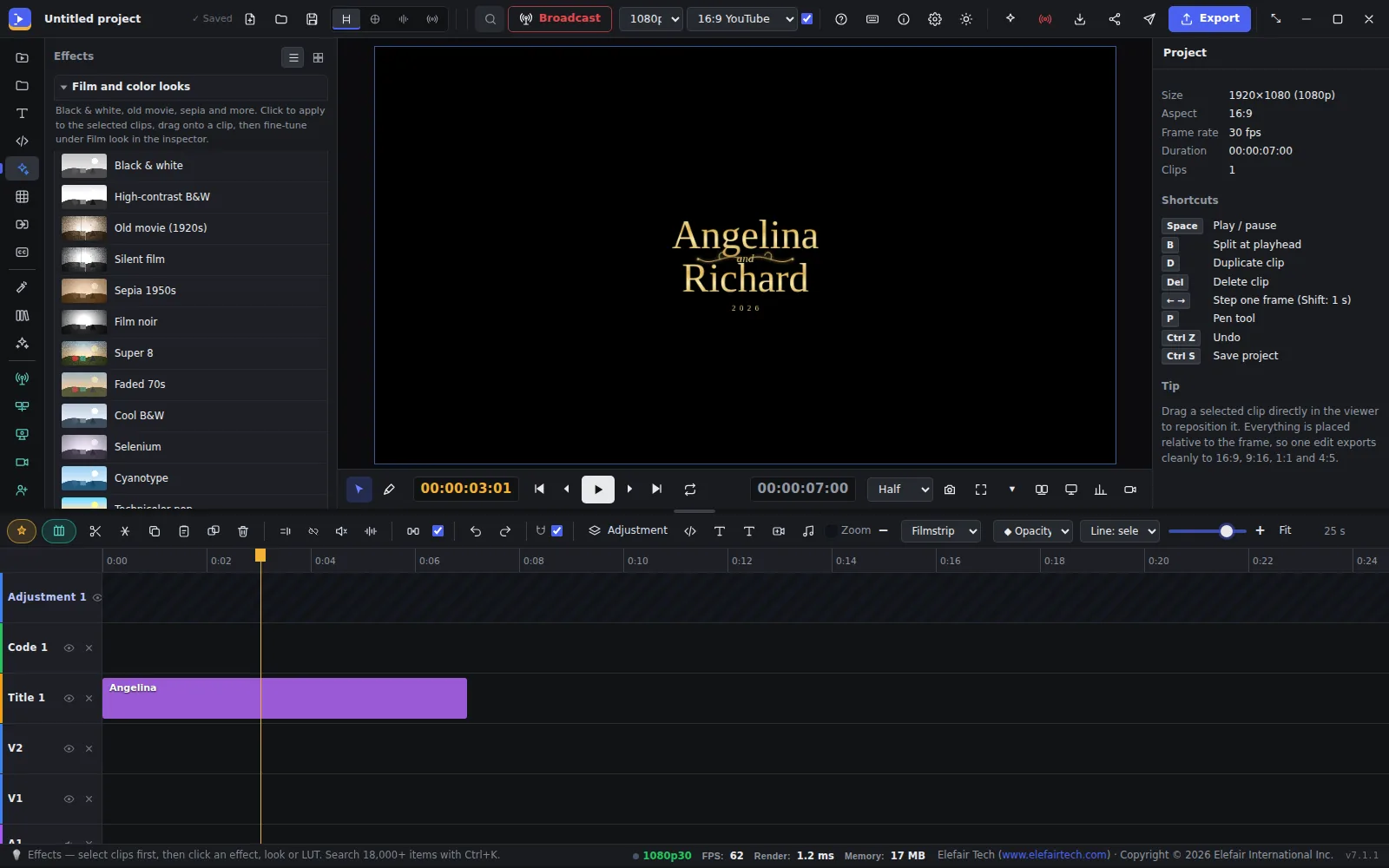
Black and white, sepia, Super 8, faded 70s, film stocks, cinema and commercial looks — click to apply, then fine-tune the strength. Bring your own .cube LUTs, or use the 873-LUT Elefair pack in the desktop app.

Film and colour looks in the Effects panel
AI Copilot

Start with one click.

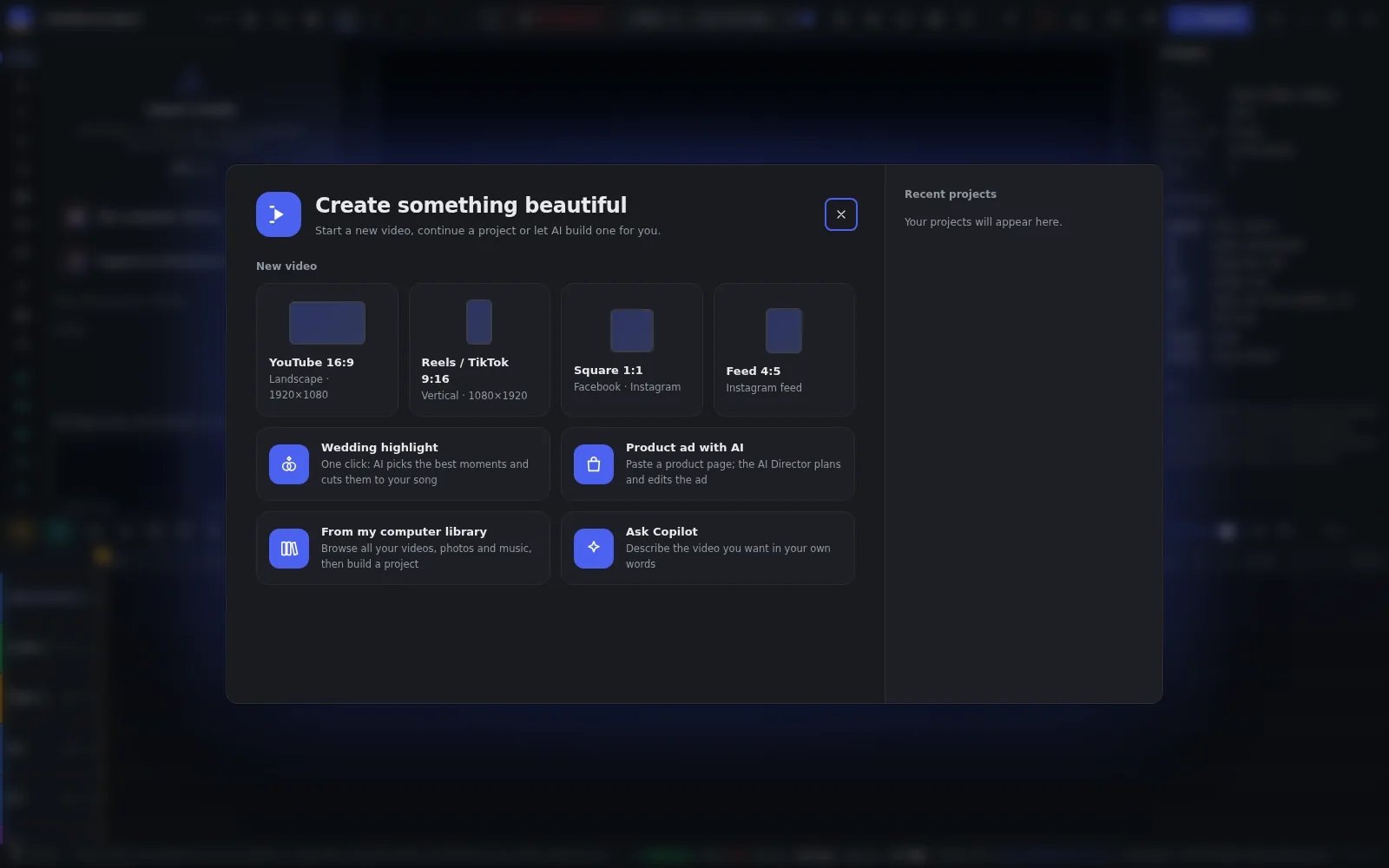
Make a wedding highlight from your clips and a song, turn a product page into an ad, or describe the video you want in your own words — the AI plans and builds the first edit for you to polish.

  • Wedding highlight cut to your music
  • Product ad from a product page link
  • YouTube, Reels, TikTok, square and feed sizes
Start screen: video sizes, Wedding highlight, Product ad with AI and Ask Copilot
Broadcast · desktop

Run a TV channel from the same app.

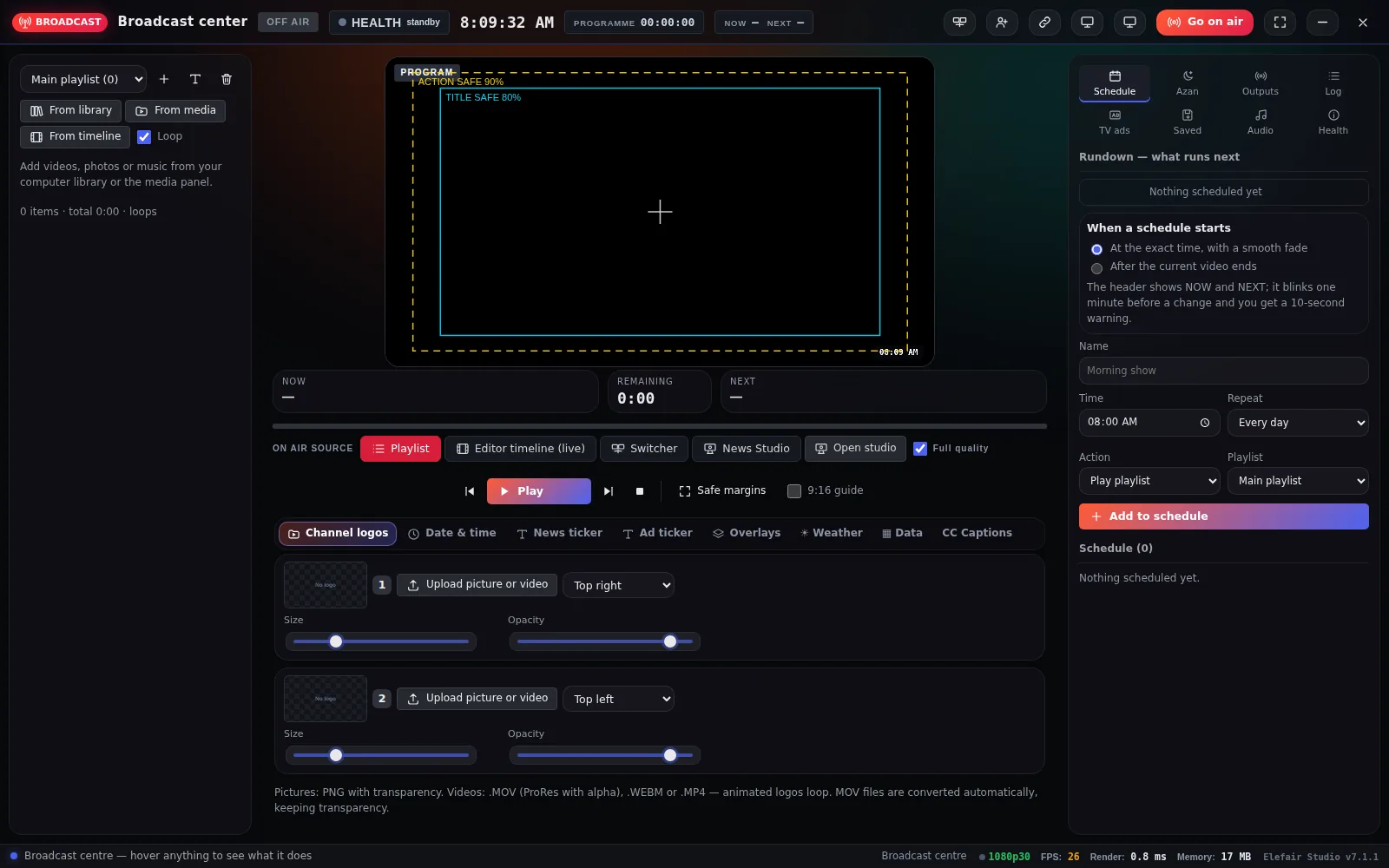
Playlists and schedules, channel logos, tickers, date and time, weather and captions — then go on air. Daily, weekly and monthly schedules and live inputs for churches, events and local TV.

Broadcast center with program monitor, playlist, schedule and channel logos
Studio Desktop · Windows and Mac

Desktop plans

Every plan works on 2 computers. Try it free for 7 days in the app before you buy.

Desktop Yearly

Updates and support all year

$99 / year
  • 2 computers, Windows or Mac
  • Every update while your year is active
  • Email support
  • Renews each year — cancel any time
Choose Yearly
Best value

Desktop Lifetime

Pay once, use it for life

$199 one-time
  • 2 computers, Windows or Mac
  • Every 7.x update included
  • 1 year of email support
  • No subscription
Choose Lifetime

Studio Complete

Desktop and Online together

$299 one-time
  • Desktop Lifetime on 2 computers
  • 1 year of Studio Online Pro (worth $199)
  • The Online year ends by itself — no renewal charge
Choose Complete

Prices in US dollars. Your licence key and download link arrive right after payment. See the Refund Policy.

Studio Online · in your browser

Online plans

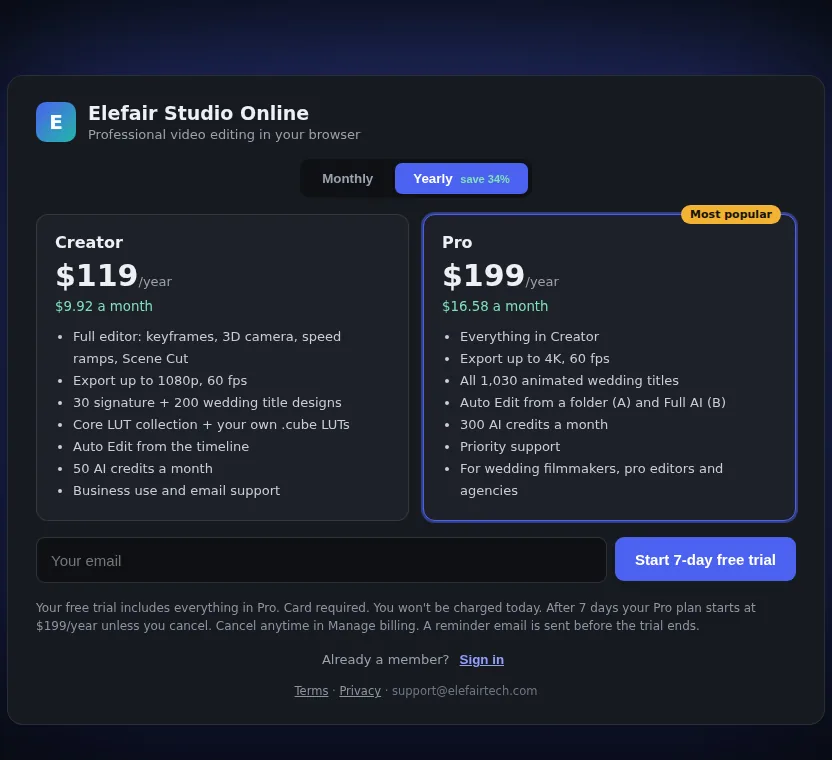
Creator$14.99 / month · or $119 / year1080p export, 230 wedding title designs, Auto Edit from the timeline, 50 AI credits a month
Pro$24.99 / month · or $199 / year4K export, all 1,030 wedding titles, Auto Edit from a folder and Full AI, 300 AI credits a month, priority support

The 7-day free trial includes everything in Pro, whichever plan you choose. A card is required; you won't be charged until the trial ends, and you can cancel any time.

Studio Online plans: Creator and Pro, monthly or yearly
Side by side

Desktop or Online?

FeatureStudio DesktopStudio Online
Timeline editor, keyframes, 3D camera, speed ramps, Scene Cut✓✓
Animated wedding titlesAll 1,030Creator 230 · Pro 1,030
ExportUp to 4K and master qualityCreator 1080p · Pro 4K
Film looks and your own .cube LUTs✓✓
873-LUT Elefair pack✓—
AI Copilot and Auto EditWith your own Google AI keyAI credits included every month
Broadcast center, NDI and live output✓—
Computers22
InstallWindows or MacNone — Chrome or Edge

Questions, answered

Desktop or Online — which should I choose?

Choose Desktop if you edit long projects, need the full LUT pack or broadcast tools, or want to pay once. Choose Online if you work from different computers or want AI credits included. Studio Complete gives you both.

Can I try it first?

Yes. The desktop app runs every feature for 7 days before asking for a licence key, and Studio Online has a 7-day free trial with everything in Pro.

How many computers can I use?

Two, on Windows or Mac. To move to a new computer, choose "Deactivate this computer" in the app on the old one first.

What does "every 7.x update" mean?

Desktop Lifetime includes every update in version 7 — new titles, effects and fixes — and one year of email support.

How do I get my licence key?

Right after payment: it appears on the next page, arrives by email with the download link and is always in My Account.

Make something beautiful.

Start a free trial online, or pick a desktop plan.

Share this page
FacebookWhatsAppXLinkedIn